Free downloads

Two files, built from the guides on this site. No email address, no signup, no form — the link downloads the file. Both say plainly where they stop working, because every planning tool does.

Renovation budget template

  • 9 cost categories, 34 line items, already filled in
  • One contingency cell that drives the totals — set it once
  • A per-category summary sheet that follows the rows you keep
  • Columns for low, mid and high quotes, so the range stays visible

It is the right tool for planning. It stops being the right tool once the work starts and costs arrive faster than you update rows.

How to use it, and the 9 categories explained →

Renovation phase checklist

  • 6 phases, 64 tasks, from before any work starts to final handover
  • Grouped by phase, not by room — the order trades actually work in
  • Room-specific lists slotted into the phase they belong to
  • 3 A4 pages with real tick boxes, made to be printed and marked up

It is the right tool for the wall. It is the wrong tool on the scaffold, at the merchant, or six months later when the insurer asks what was behind the wall.

The full checklist, with the reasoning behind the order →

When a file stops being enough

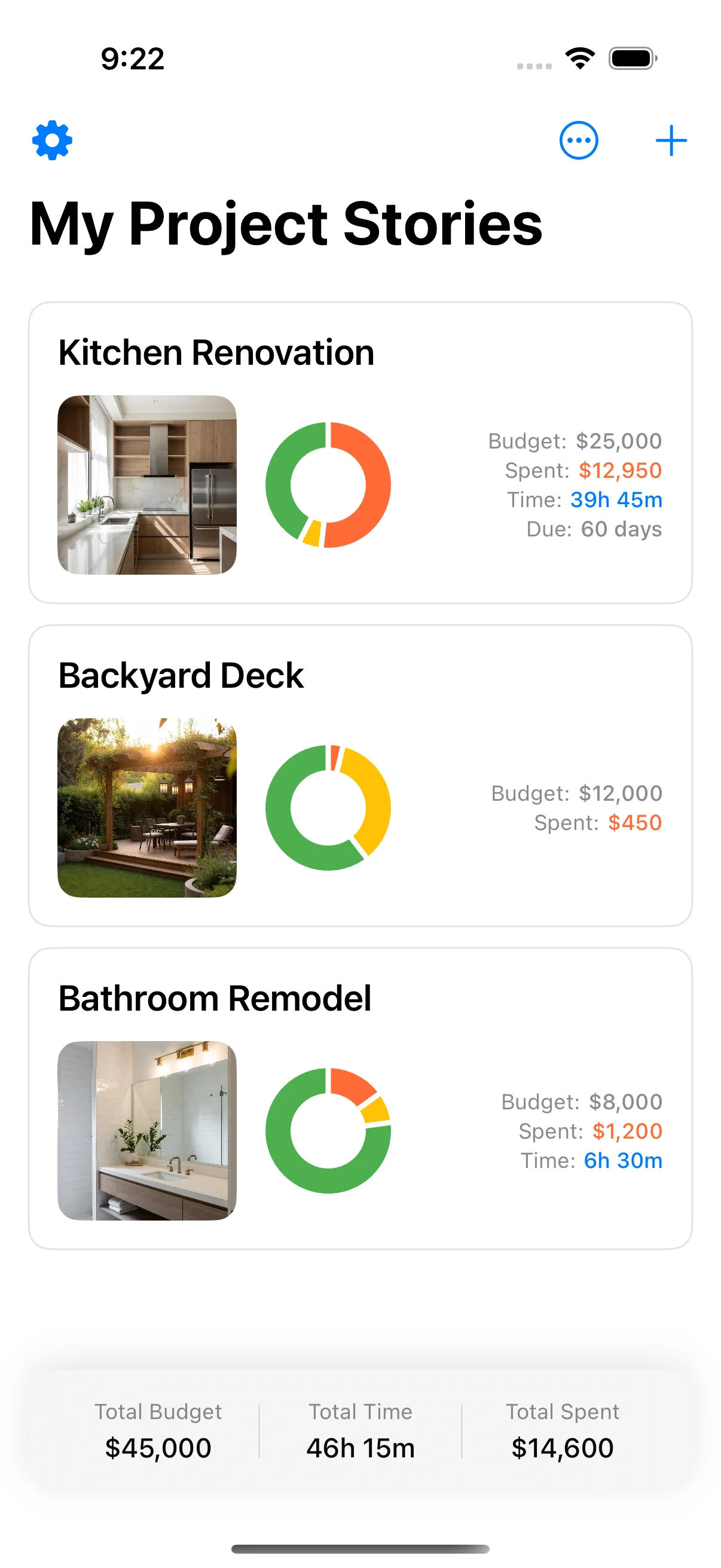
Both of these work right up until the job starts. Then the costs arrive faster than you update rows, the checklist is on a wall you are not standing at, and the photo that proves what was behind the wall was never taken. Home Stories keeps the budget, the tasks and the dated photos attached to the same project, on the phone that is already in your pocket.

See what the app does →

Measure the next one.

Free on the App Store. Works offline, needs no account, and syncs with iCloud when you want it to. Requires iPhone with iOS 17 or later.

Download Home Stories on the App Store
5.0
Home Stories project list on iPhone
Download freeiOS 17+