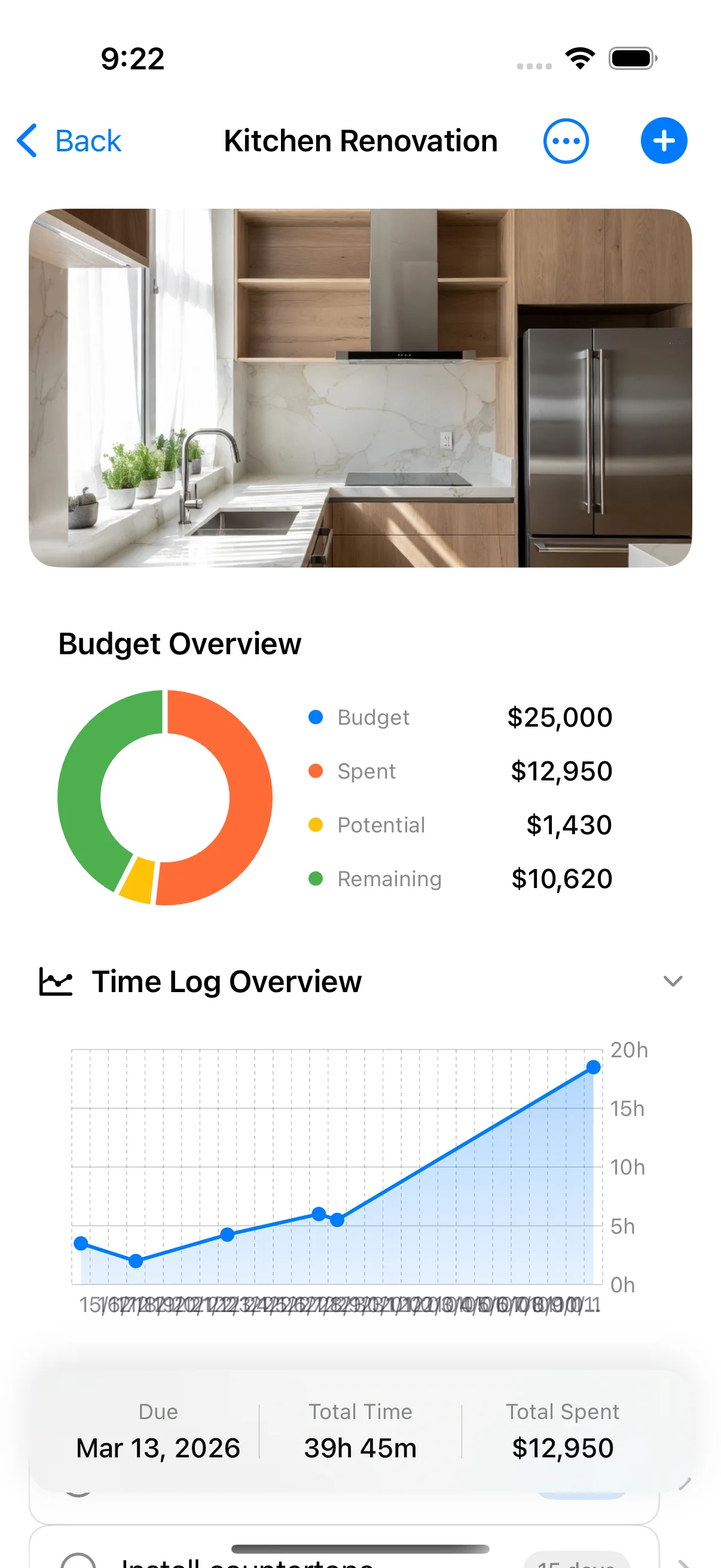
Budget
See the overrun coming
A running total as you log payments, split by materials, labour and contractor. The budget-vs-actual chart is part of Pro.
Renovation tracker for iPhone and iPad
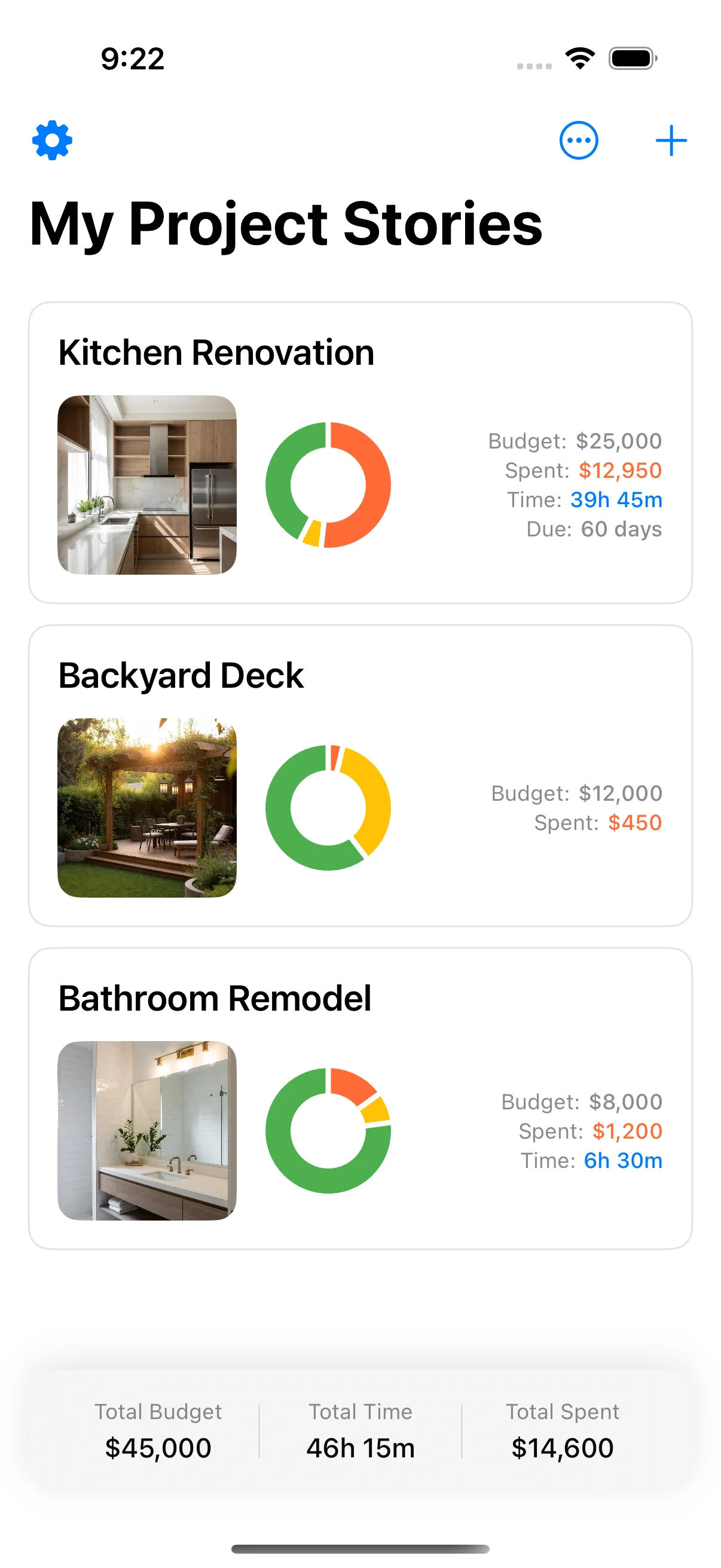
Renovations drift because the overrun stays invisible until the money is gone. Home Stories keeps a running total on one screen, with tasks in order and dated photos of what happened.

Built by a homeowner mid-renovation, for homeowners mid-renovation
The problem
It arrives as a few hundred here, a change order there, and a receipt you meant to file. Each one is small enough to wave through, and none of them is the moment you notice.
The spreadsheet only tells you once the tiles are down and the money is gone. And six months later, when the insurer asks what was behind that wall, nobody has a photo of it.
15–30%
the band renovations typically overrun by — wider for older homes, and for anything that opens a wall.
The other way
A running total sits on the project from the first day, with materials, labour and contractor kept apart. Photos and notes land on the same project while you are still in the room.
Start tracking — freeFeatures
No spreadsheet, no shoebox of receipts, no photo roll you can't search.
Budget
A running total as you log payments, split by materials, labour and contractor. The budget-vs-actual chart is part of Pro.
Tasks
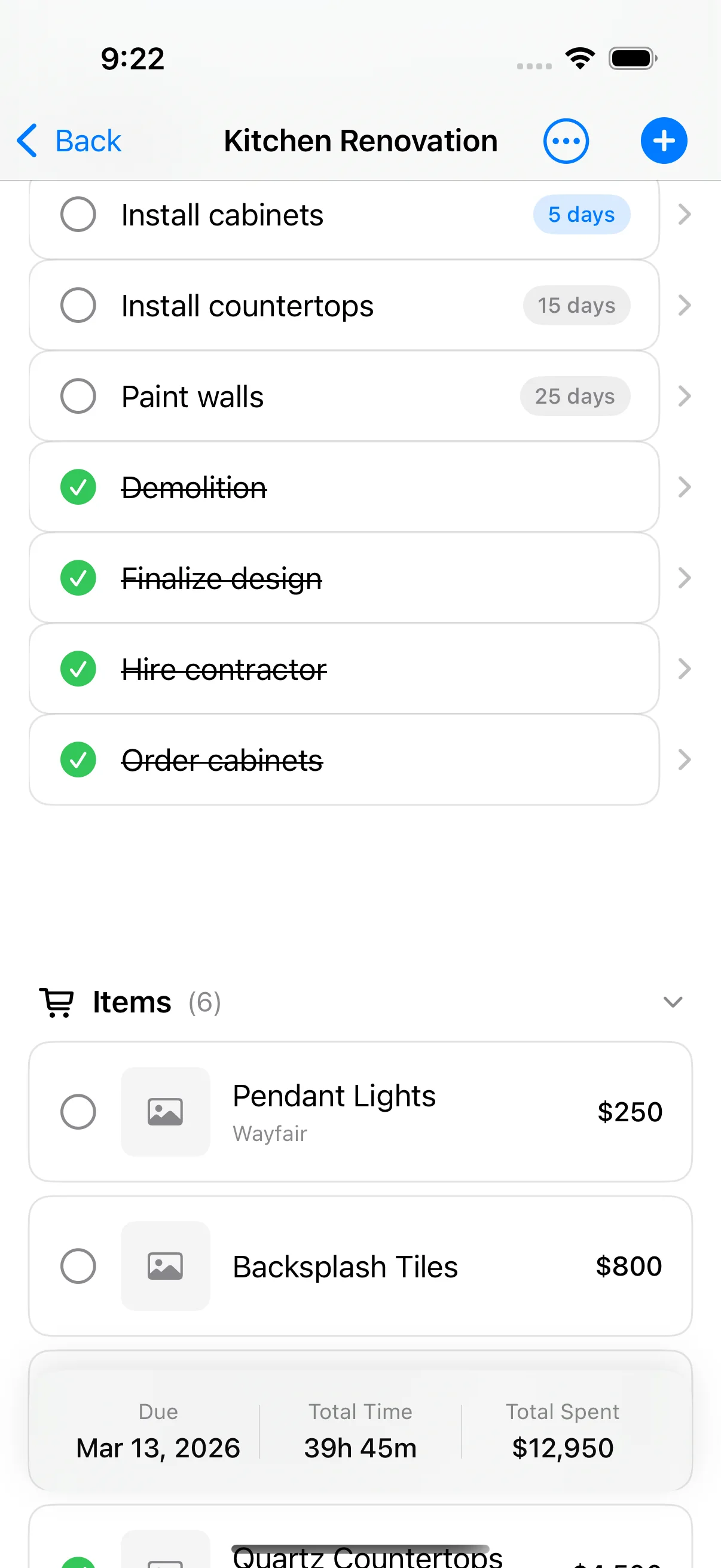
Group the work into tasks and items per phase, and mark them off. Electrician before plasterer, every time.
Photos
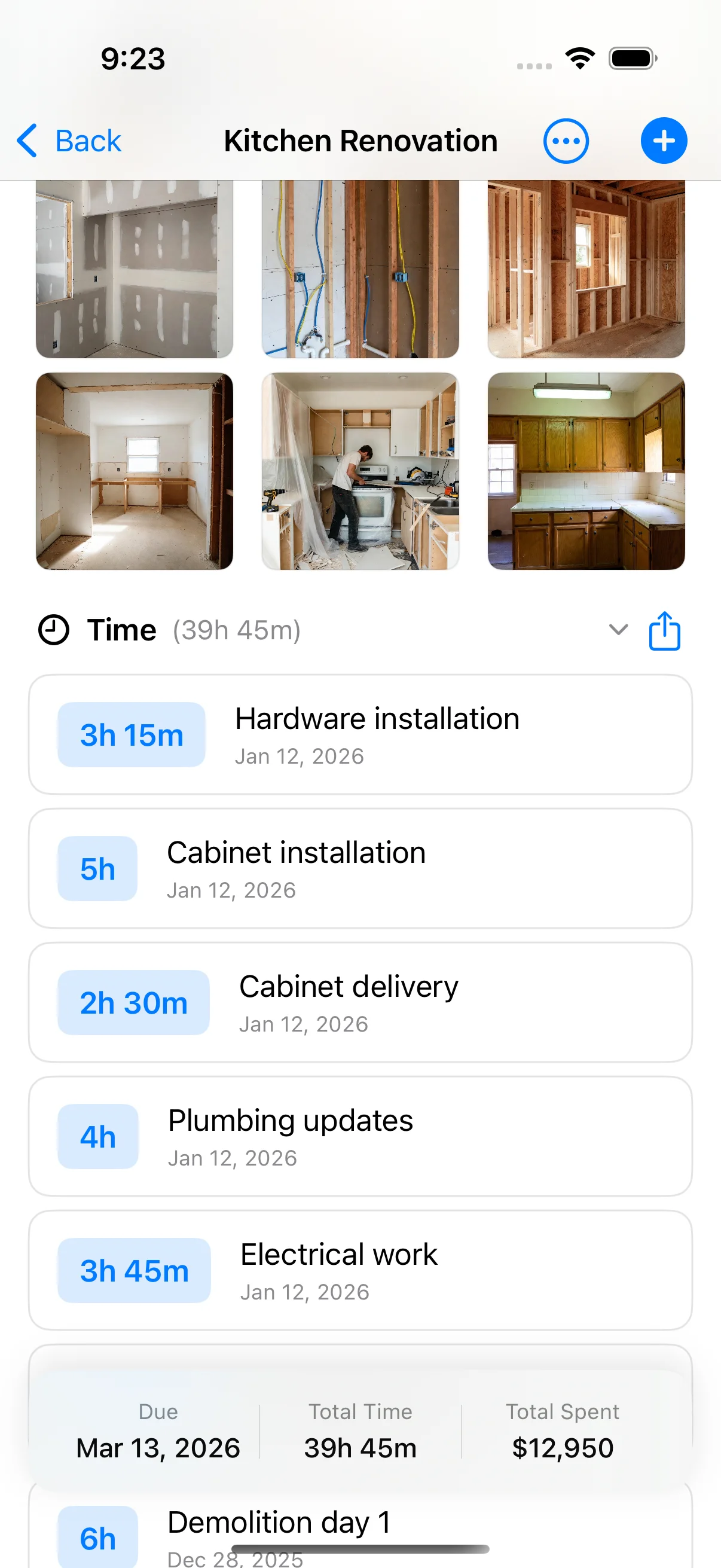
Dated photos pinned to the project build a timeline you can scroll — before, during, and behind the wall.
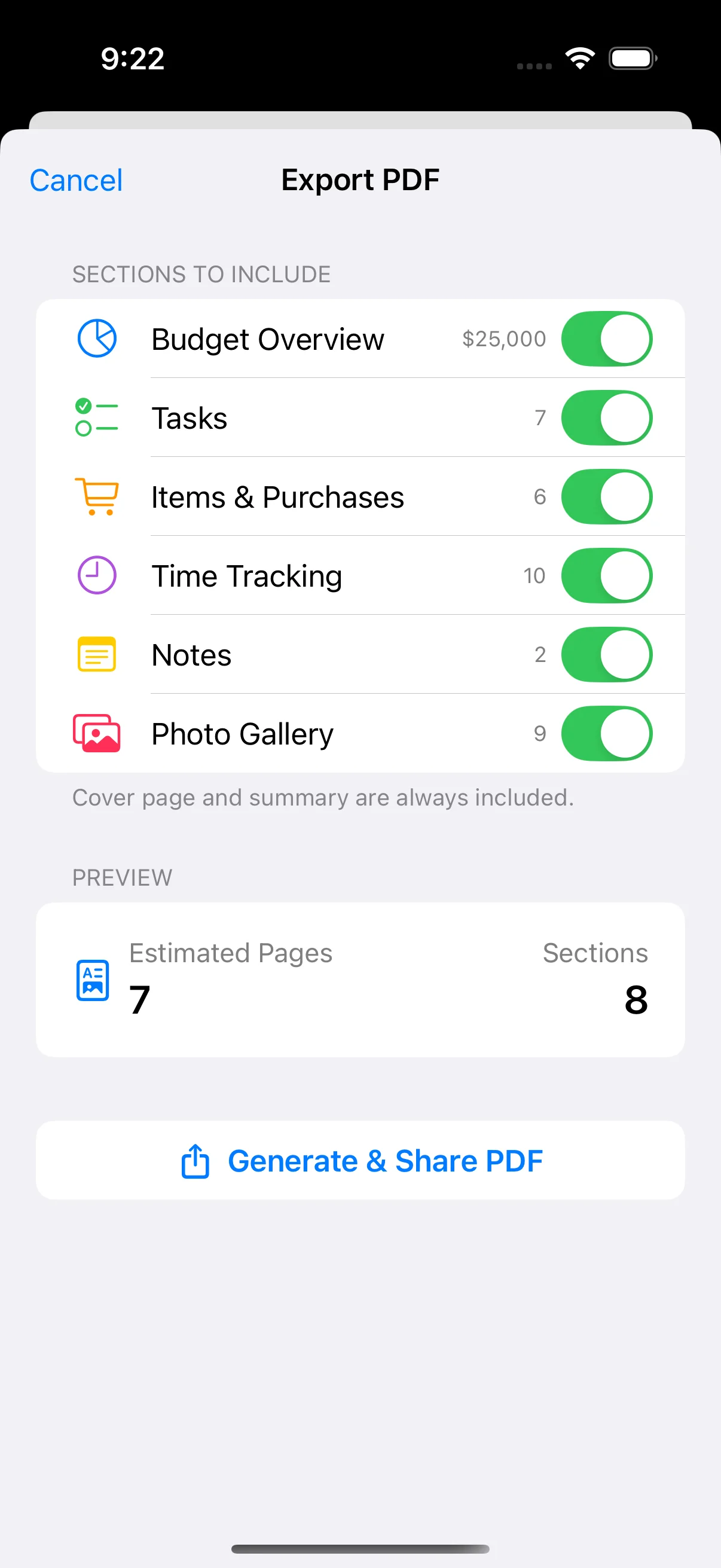
Export
A PDF of the whole project, or just the parts you need. Export is part of Pro.
More
The four screens do the heavy lifting. These are the parts that keep the rest of a renovation from slipping through the cracks.
Home Screen widgets for budget progress and what is next, and a Lock Screen timer while you track time.
Log hours against a project and see where the days went, next to the running total.
Keep contracts, receipts, and tagged notes with photos attached to the project they belong to — not in a drawer.
Save purchases with a price and the shop, organised by phase, so each one adds to the running total.
Search across every project instantly, and save a product straight from Safari, IKEA, or Amazon into the right one.
Share a project with a partner, family or the contractor. Sharing and iCloud sync are part of Pro.
Flag each project Low, Medium, or High and sort your list — by priority, date, or name — so the next job is on top.
Fully translated into 50 languages, with VoiceOver and Dynamic Type support throughout. Works 100% offline.
Demo
Three screens, recorded from the app on an iPhone. No mockups, no narration.
How it works
The order the app expects, and the order a renovation actually runs in.
Step 01
Name the project, put a number on it, and give it a deadline. That number is what everything else is measured against.

Step 02
Break the job into tasks, then add the materials, fixtures, and quotes each one needs. Estimates now, receipts later.
Step 03
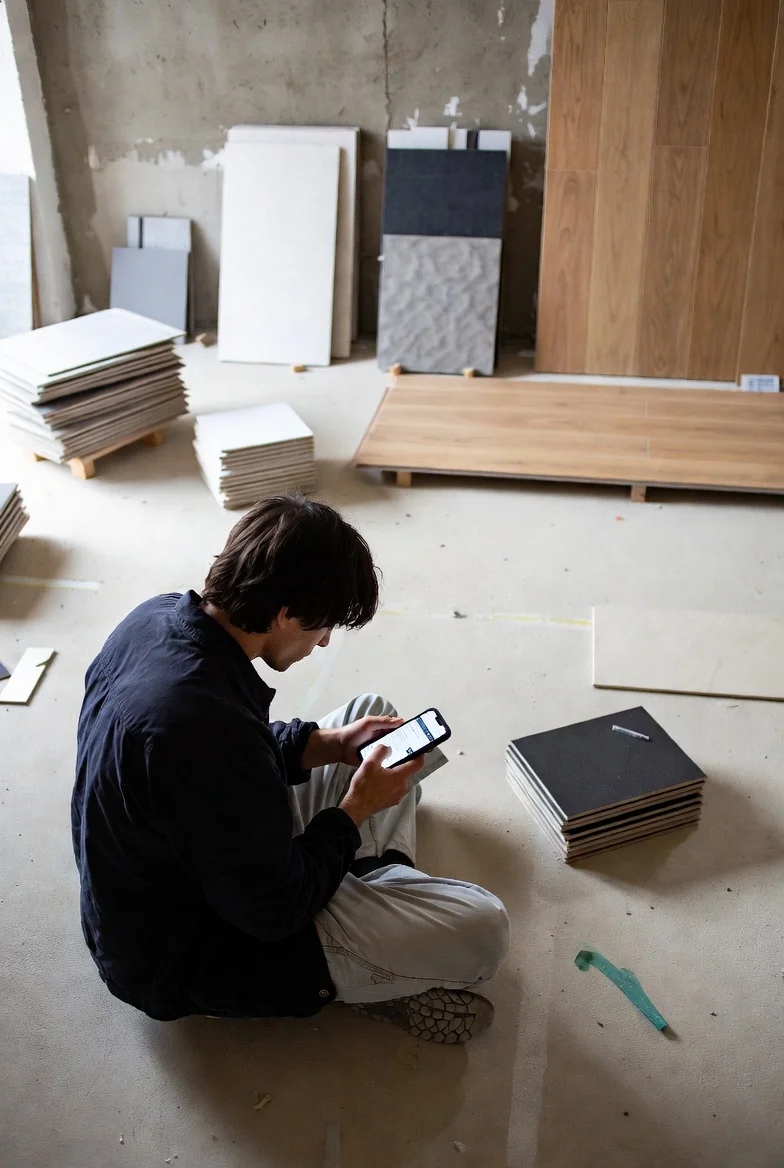
Log payments as they land and photograph from the app. Materials, labour and contractor stay apart, and the running total updates with them. Every photo is dated and pinned to the project.

Step 04
Pro turns the project into a PDF: budget, tasks, photos and notes, or just the parts you need. Send it to the contractor, the insurer, or the folder you'll want next year.

Vs the spreadsheet
It works — until about week three. The honest comparison.
In a camera roll or folder, unlabeled
Dated and pinned to the project timeline
Formulas you write and maintain yourself
A running total. Materials, labour and contractor kept apart.
Pinch-zooming cells on your phone
Built for iPhone and iPad, works fully offline
Emailing budget_v7_final_FINAL.xlsx
iCloud sharing or a PDF — both part of Pro
A shoebox and good intentions
Photographed and stored with the project
A deleted formula fails silently
Nothing to maintain — the structure is built in
Reviews
The app is new, so there are not many yet. This is every review that has come in, unedited.
This app is brilliant when you have to plan and carry out projects, large and small. I wish I had had it a couple of years ago when we renovated a flat. It would have been very useful for planning and documenting the renovation, the hours spent and the materials bought.
Pricing
The core is free, forever. One small one-time purchase unlocks the deep budget tools.
Free
$0.00forever
Home Stories Pro
$9.99one-time — no subscription
One-time price from the App Store — it varies by country.
Writing
Notes from renovations that went over, and the ones that didn't.
FAQ
Yes. Unlimited projects, items, photos, notes, documents, tasks, time tracking, Home Screen widgets, local backups and data export are free. Home Stories Pro is an optional one-time purchase, not a subscription. It adds the budget-vs-actual chart, task reminders, PDF export, iCloud sync and project sharing.
Yes. Projects, photos and payments live on the device, so it works with no signal. iCloud sync is part of Pro, stays off until you turn it on, and catches up when you are back online.
Project sharing is part of Home Stories Pro. You invite a partner, family member or contractor, and they see the same tasks, items and photos over iCloud. A PDF report, also part of Pro, is the version for someone who only needs to read it.
PDF export is part of Home Stories Pro: a report with a cover photo, for the whole project or just the parts you choose. A full data export of the project is included free.
iPhone and iPad, running iOS 17.0 or later. The iPad app is native. There is no Android version.
Yes. Home Screen widgets show budget progress and what's next. Time tracking has a Lock Screen timer, and Dynamic Island on iPhone 14 Pro and later.
Yes, with Home Stories Pro. Share a project over iCloud and the people you invite see the same tasks, items and photos.
Home Stories is available in 50 languages, including English, German, French, Spanish, Italian, Danish, Dutch, Portuguese, Japanese, Chinese, Korean and many more, with VoiceOver and Dynamic Type support.
Yes. Log payments and keep materials, labour and contractor costs apart. Each item's price adds to the project's running total. The budget-vs-actual chart, which compares that total with the budget, is part of Home Stories Pro.
Keep each trade's payments apart from materials and labour, and keep their quotes and contracts as documents on the project. Sharing the live project, or exporting a PDF, is part of Home Stories Pro.
The free app keeps a running total as you log items and payments. Home Stories Pro adds a budget-vs-actual chart so the gap is visible while you can still change the plan. A Home Screen widget can show budget progress without opening the app.
Local backups are included free, and so is a full data export. iCloud sync, which keeps the project on your other devices, is part of Home Stories Pro and stays off until you turn it on.
Free on the App Store for iPhone and iPad. Works offline and needs no account. Requires iOS 17 or later.