Looking for a HomeZada Alternative? Start Here
You're searching for a HomeZada alternative, probably after reading a round-up that still lists it first. That recommendation is stale: it's built on a product whose iPhone app hasn't moved since May 2022. What you actually need depends on which part of your renovation you're trying to solve — so here is what we verified in the App Store this month, what HomeZada still does well, and the three options worth considering, in the order you should think about them.
Why the default recommendation is stale
Most “best renovation app” lists share the same top entry: HomeZada. That is understandable — it is the most feature-complete home management product, with asset tracking, warranty reminders, document storage and project budgets. For years, that was the right answer.
Two things have changed. The first is how renovations get run: most homeowners now plan on a phone and log from the site, not from a desk with a spreadsheet. The second is the app itself. As of October 2026, the HomeZada Mobile app on the US App Store is at version 2.4.0, and the last release was 27 May 2022 — four years ago. The rating is 2.9 stars across 44 ratings.
Both facts take a minute to check yourself, and that is the point: for a tool you will lean on for the next six months, the last-updated date is not a footnote.
Two searches, two different problems
People type “HomeZada alternative” for two different reasons, and the honest answer depends on which one it is.
The first: you are planning a project, you read a list of apps, and HomeZada was on top. In that case, what you need is a plan and a budget tool, and this post saves you about half an hour of reading — because the top recommendation on the list you are holding is stale.
The second: you are already mid-renovation, and the tool that was supposed to be your single source of truth has started to feel like an archive you update out of duty. In that case, what you need is a mid-project switch, and the section below is the checklist for that.
Either way, the starting point is the same: know what you actually use it for, before you compare names.
What we checked in the App Store
| Checked | Result |
|---|---|
| App | HomeZada Mobile (App Store ID 473722482) |
| Current version | 2.4.0 |
| Last iOS release | 27 May 2022 |
| Rating | 2.9 stars (44 ratings), October 2026 |
| Web product | Still sold and maintained — homezada.com |
The web product and the phone app have become two products with two different life cycles. If your renovation management happens on a laptop, the web dashboard is still alive and still worth a look. If the work is happening in a half-demolished room, the phone is the interface you will actually use — and on the phone, this product has been standing still since before many of the current round-ups were written.
What HomeZada is still good at
To be fair: the breadth of HomeZada is real, and it is not only about renovations. It tracks the assets of a whole home, schedules warranty work and maintenance, stores documents, and manages budgets across a property. If you own more than one home, or you want one dashboard for everything about the house rather than one project, that breadth is the reason to keep it — and no phone-first renovation tracker replaces it.
The trade-off is where you do the work. The interface was built around a desktop dashboard: menus, tables, depth. Logging a receipt from the builder’s yard, with gloves on, while the contractor walks back to the van, is not what that interface is for. A tool you touch twice a week from a desk is not the same tool as one you need ten times a day on site.
Why these lists get stale — and how to avoid being next
The same three apps show up in nearly every renovation round-up, in the same order, with a new year in the title. That is not a conspiracy; it is a structural problem with the format. A “best apps” list is written once, and then re-published because the URL ranks. The author stops re-opening the App Store, the ratings stop being re-checked, and the list quietly becomes a snapshot of 2021 wearing a 2026 badge.
The pattern is predictable: the most-recommended tool is usually the one with the oldest last-updated date. That is not a coincidence. The tools that are actively improving move out of the “default” slot the moment someone re-checks, and the ones that stop improving stay, because nothing forces a re-check. So if a recommendation has survived several annual refreshes unchanged, that is itself information.
You can avoid being next in line with a two-minute habit: for any tool you are about to commit to, look up the current version and the last release date, and check the rating count, not just the stars. A high score on 40 ratings is not the same thing as a high score on 40,000. The tool that is still being shipped, with a live rating count, is the one that will still be useful in six months. That is the only check this post is asking you to make beyond reading the rest of it.
What your renovation actually needs
Lay a renovation out end to end and it is four jobs in sequence: planning it, measuring, designing, and executing. The first three are desk work over a few weeks — a beginner’s step-by-step plan covers the shape of them — and for those, the choice of app matters less than the plan itself. A browser tab and a solid renovation budget template carry the load.
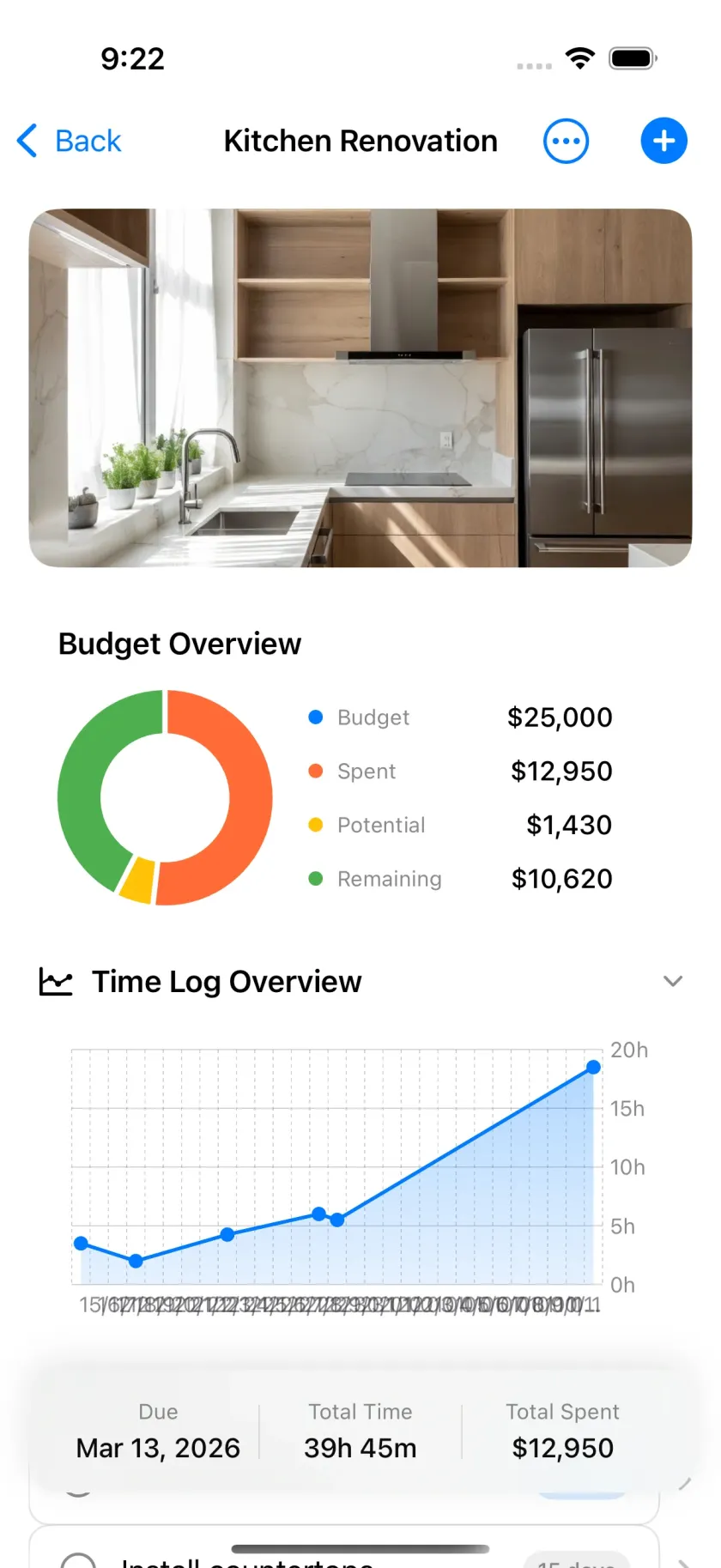
Execution is different. It runs for months, in dusty rooms, and it generates a constant trickle of costs, receipts, decisions and photos. The tool for that phase has one hard requirement: it has to work from a phone, in seconds, while something else is demanding your attention. A live budget split into materials, labour and contractor; a dated record of photos and receipts; a task list that survives the weekend.
The three options, honestly
1. Keep the desktop tool. If your work has not started, or if budgets are the only thing you need to track, the HomeZada web dashboard — or whatever desktop product you already use — will do. The trigger to switch is when you start logging from the site: at that point, the tool furthest from your hand is the tool you stop using.
2. A spreadsheet or a document workspace. A spreadsheet is still the best planning tool on the market, and the how-to-budget guide covers the structure. It fails at execution: it wants two hands, a desk, and a version of the file you believe is current. A document workspace like Notion is more flexible, but you build the structure yourself, and it is organised around documents, not around a live project with a running total. Fine for notes; wrong shape for a budget that moves every day.
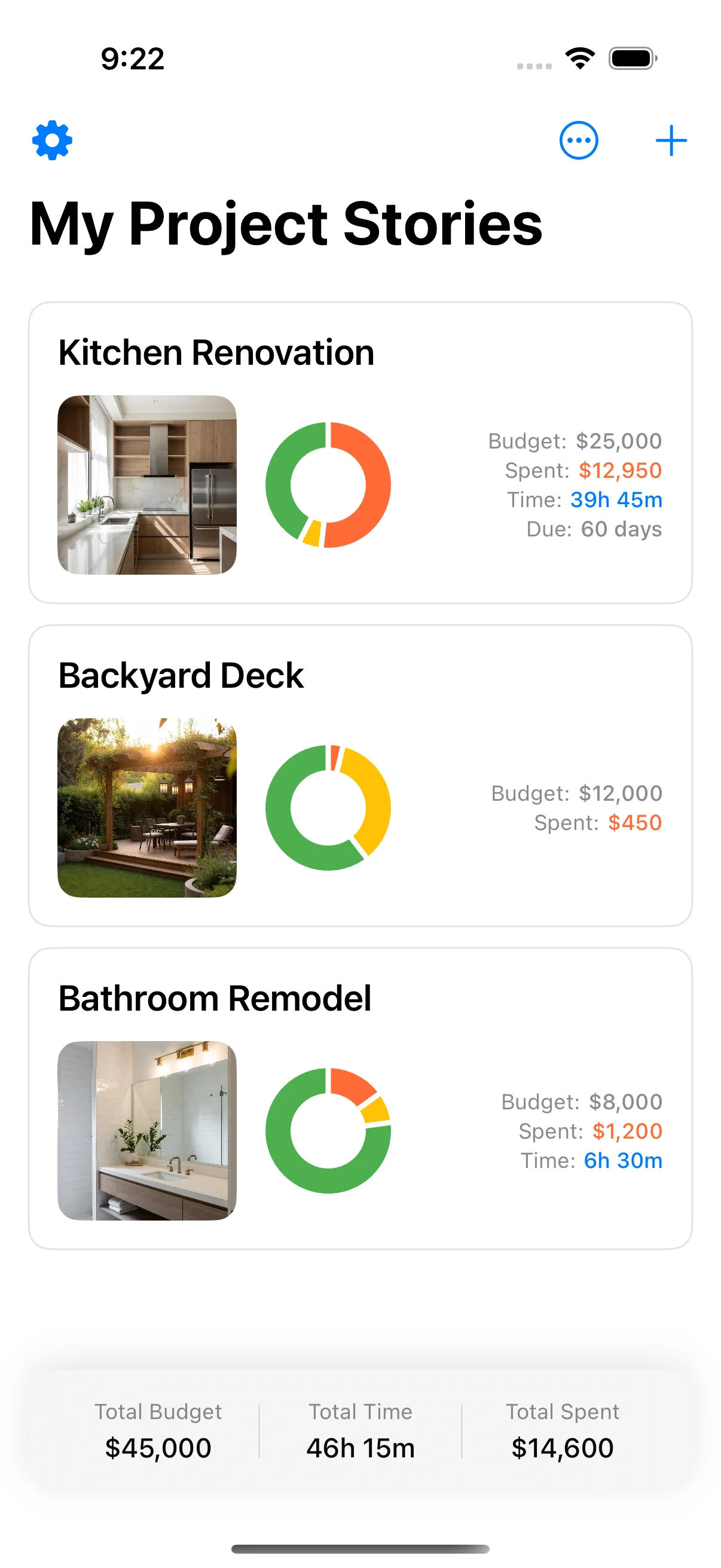
3. A phone-first tracker. This is the option most “HomeZada alternative” searches are really asking for. The head-to-head against the big two names is in HomeZada vs Houzz Pro, and the wider field is covered in the 2026 round-up of home improvement apps. The deciding question in this category is not features — it is friction. A log that takes seconds, from one screen, with the receipt photo attached, is the one that survives to month six. Home Stories is what that looks like in practice: a running total, dated photos and receipts and tasks, all on one project, free to install.
Switching without losing what you’ve already logged
If you are mid-project in HomeZada — or in any tool — the switch is an afternoon, not a project:
- Inventory what you have. Budget figures (planned versus spent, by category), receipts, photos, open tasks. Four buckets, usually.
- Export what exists. Check the export options in the current tool. If the export is complete, use it. If it is partial, do not fight it: a one-time manual migration beats a month of half-synced data.
- Start the new budget from the real figures. Not the original plan, not “where I think we are”. The budget has to be live, which means today’s actuals, by category.
- Bring receipts and photos over as you find them. Not in one epic cleanup — the project is moving, and the cleanup will lose items.
- Run both for a week. Log in the new tool and spot-check against the old one. When the numbers agree, the old tool becomes an archive.
The cost is one afternoon. The alternative is keeping a tool that stopped evolving four years ago, for no reason except that it is familiar.
What to look for in a replacement, in order
Once you know your phase, the choice narrows fast. The four things worth weighing, roughly in that order:
1. Friction at the point of use. How many taps from the lock screen to a logged cost? A tool that needs the app opened, a project selected, a form filled and a button pressed will be used less than one that is a two-tap log with the receipt photo attached. Friction is not a comfort issue; it is the difference between a live record and an archive you catch up on at the weekend.
2. Where the record lives. A budget that lives in a desktop dashboard is a budget you update when you sit down. A budget on the phone is a budget that stays true while the work is happening. For execution, this one decides the outcome more than any feature list.
3. How it handles the messy middle. Receipts that do not match a category. A cost that is half materials, half labour. A decision that changes a task from next week. Tools differ enormously here, and this is where one stops being a form and starts being a working record.
4. What it gives back at the end. A project PDF, an export, a clean summary for the contractor, the insurer or the tax adviser. If the tool’s end-of-life is a spreadsheet you hand-assemble from screenshots, it did its job halfway.
Feature count is not on this list on purpose. The tools in this category all have the basics — the question was never what a tool can store, but whether you will actually store it.
How to choose in ten minutes
- You manage multiple properties or whole-home maintenance? The desktop platform is the right shape — breadth is the feature.
- You are planning only, with work weeks away? A spreadsheet plus a printable checklist is enough, and you can always start the tracker later.
- You are in execution, logging from the site? A phone-first tracker, full stop.
- You are between the two — planning now, executing soon? Start the budget in the tracker now, so there is nothing to migrate later.
Frequently asked questions
The short answers are in the FAQ at the bottom of the page — including what “still being updated” actually means, and how long a mid-project switch takes.
If you want the wider picture, the step-by-step planning guide and the 2026 apps round-up sit at the two ends of the decision: the plan you want in place before week one, and the field this tracker competes in.
Frequently asked questions
Is HomeZada still being updated?
The web product is still sold and in use, but as of October 2026 the HomeZada Mobile app on the US App Store has not shipped an update since 27 May 2022 (version 2.4.0, roughly 2.9 stars across 44 ratings). If your workflow is phone-based, that matters; if you only use a laptop, the web dashboard is the product you should judge.
What is the best free alternative to HomeZada?
There is no single free clone of the whole platform. For the planning side, the free renovation budget template on this site covers budgets and line items. For the execution side — a live budget, dated photos, receipts and tasks — a phone-first tracker like Home Stories is free to install, with an optional one-time upgrade and no subscription.
What's the difference between a home management platform and a renovation tracker?
The time scale. A platform like HomeZada manages a whole home across years: assets, warranties, maintenance schedules, documents, multiple budgets. A renovation tracker manages one project across months: a live budget, a dated record, a task list. They solve different jobs. A renovation inside a property you already manage in a platform is the overlap case — in that case, pick the tracker for the project and keep the platform for the home.
Can I move my data out of HomeZada?
Check the export options in the tool first. If the export is complete — budget, documents, photos — use it. If it is partial, plan a manual migration: four buckets (budget figures, receipts, photos, open tasks) takes about an afternoon. Do it early in the project, when the record is short, not at the end, when it is a book.
Why do 'best app' lists still recommend HomeZada?
Most lists were written years ago and quietly re-published with a new year in the title. A two-minute check — the last-updated date and the rating in the App Store — would have caught it. That is why this post starts from what we verified this month instead of copying the list.
Should I choose HomeZada, Houzz Pro or a phone tracker?
If you are a contractor or designer, Houzz Pro is the professional business tool — that head-to-head is covered in the HomeZada vs Houzz Pro post. If you are a homeowner running your own renovation, the question is which phase you are in: planning or execution — and the phase should decide the tool, not the brand.
Keep reading
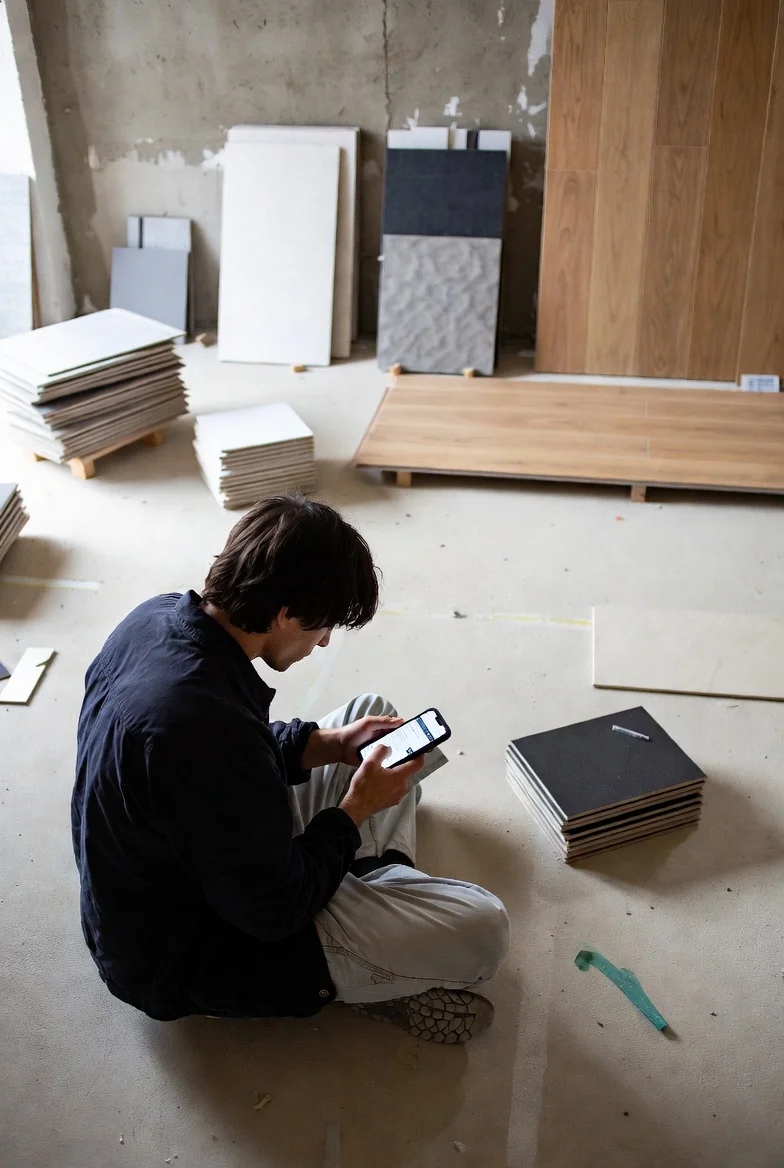
Best Home Improvement Apps 2026: 6 Actually Worth Installing
Best home improvement apps 2026 — six iPhone apps that are actively maintained and actually useful for real projects.
HomeZada vs Houzz Pro: Which Renovation Tool Is Actually Better?
HomeZada vs Houzz Pro — comparing two popular renovation tools: what each does well, what they miss, and when to use each.
How to Plan a Home Renovation: 6 Phases from Idea to Handover
How to plan a home renovation — 6 phases from inspiration to handover, with what to track and watch for at each stage.