HomeZada vs Houzz Pro: Which Renovation Tool Is Actually Better?
HomeZada is the feature-heavy veteran, Houzz Pro targets contractors rather than homeowners, and Home Stories is the lean phone-first tracker built for one job. If you're a homeowner tracking your own renovation, Home Stories is the only one of the three that fits the way you actually work on-site.
You’re planning a renovation and you’ve probably landed here by searching for one of two things: HomeZada alternatives or Houzz Pro vs HomeZada. Wanting a tool — or maybe two — to keep your renovation from spiralling into chaos is a reasonable instinct. The real question is which tool fits the way you actually work, and which of those two searches you’re really asking. If you’re the one asking “HomeZada alternative,” start with the dedicated look at what a HomeZada alternative actually requires — this post is the head-to-head that follows from it.
This post compares HomeZada, Houzz Pro, and a phone-first renovation tracker across the dimensions that matter for a homeowner running their own renovation: budget tracking, on-site logging, photo management, tasks, export, pricing, and — crucially — whether the app actually gets used once the dust starts flying.
I’m Robert Jensen. I’ve compared the main renovation planning tools as both a renovator and an app builder. This is a feature-by-feature breakdown of who each product is actually for — not a feature laundry list.
TL;DR
- HomeZada is the most feature-rich option — asset tracking, warranty management, budgets, document storage — but it’s a desktop-first product. Its iOS app hasn’t shipped an update since May 2022 and averages 2.9★ on the App Store.
- Houzz Pro is a contractor business platform. It includes CRM, invoicing, and lead management designed for people running a trade business. Homeowners don’t need any of those features.
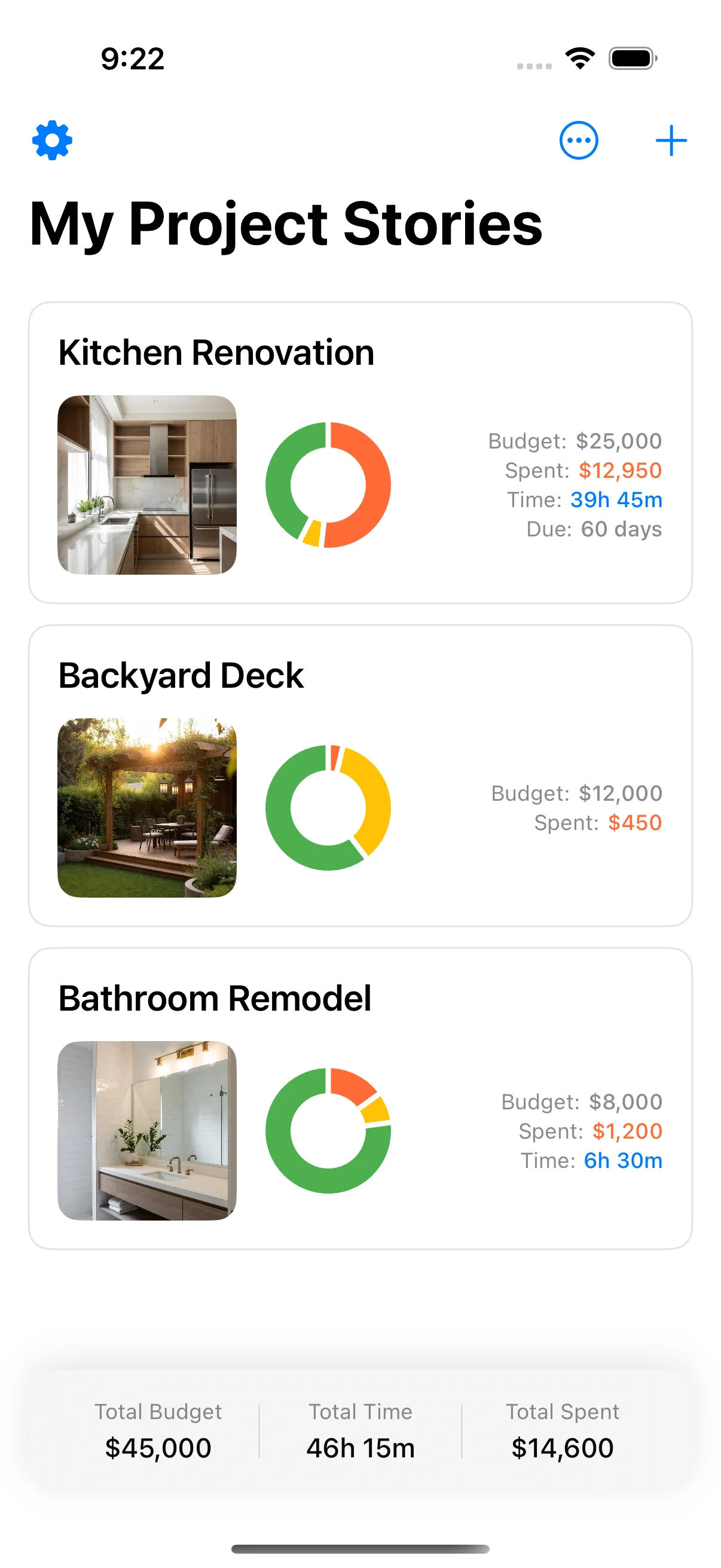
- A phone-first renovation tracker is for homeowners who need to log costs, photos, and tasks from their phone while standing in a half-demolished room. Free options exist; setup is usually under two minutes.
- The deciding factor isn’t features — it’s whether you can actually use the tool on-site. Desktop-first tools quietly abandon you once demolition starts.
HomeZada: the feature-heavy veteran
HomeZada has been around since 2006 and bills itself as a complete home management system. It’s not just renovation — it covers the entire home: asset tracking, warranty management, maintenance scheduling, document storage, room-by-room photos, and project budgets for renovations and additions.
If your home is your biggest project and you want one place to manage everything about it, HomeZada has genuine appeal. The renovation features include:
- Room-by-room budget creation with line items
- Receipt and invoice tracking
- A document library for contracts, warranties, and receipts
- A property directory (good if you’ve owned multiple homes)
- Asset tracking with purchase dates and warranty info
- Maintenance scheduling with reminders
HomeZada runs on the web (desktop browser) and has mobile apps for iOS and Android. The interface is information-dense and functional — it looks like a tool built by people who love systems.
Where HomeZada falls short for on-site use
The problem isn’t that HomeZada lacks features. It’s that it was designed for a desk, not a phone.
The iOS app exists but has not shipped an update since May 2022 and carries a 2.9-star rating from about 44 ratings. That’s not just a user complaint — it’s a product that hasn’t been touched in over four years. On iOS, where a single OS update can break compatibility, that’s a red flag.
The bigger problem is the workflow. HomeZada’s strength is comprehensive data entry — and that means comprehensive data entry at a desk. Logging a receipt for unexpected materials while you’re standing in a builder’s merchant, one-handed, in noisy, dusty conditions? The interface isn’t designed for that. You’ll try it three times and then reach for your notes app.
Bottom line: HomeZada is a great home-management system for planning and record-keeping from a desk. It’s a poor renovation companion once work starts on-site.
Houzz Pro: built for professionals, not homeowners
Let’s get this out of the way early: Houzz Pro is not a renovation app for homeowners. It is a business management platform for contractors, interior designers, and trade professionals.
Houzz Pro includes:
- Lead management and client portals
- Project management and task tracking
- Invoicing and estimates
- CRM and communication tools
- A portfolio for showcasing completed projects
- Integration with the main Houzz marketplace
If you’re a contractor running a renovation business, Houzz Pro is a legitimate option. It’s designed for people managing multiple clients simultaneously, sending formal estimates, tracking payments, and building a professional portfolio.
Why homeowners should skip it
Every feature in Houzz Pro is optimized for the business of doing renovations, not the experience of renovating your own home. You don’t have leads to manage. You don’t need to send invoices to yourself. You don’t have a client portal. Most of the feature set is noise for a homeowner.
There is a separate, free consumer version of Houzz — just “Houzz” — which is a design-inspiration app. You browse photos of interiors, save “ideas” to collections, and search for professionals. It’s great for finding style direction. It has no budget tracking, no photo timeline, no task management, and no way to log a renovation as it happens. It’s a visual mood board with a search engine.
Bottom line: Neither Houzz Pro nor the consumer Houzz app is designed for homeowners tracking their own renovation. Skip both if you need budget, photo, and task tracking.
A phone-first alternative: built for one job
There is a third option aimed at a different audience entirely: homeowners who are planning or executing their own renovation and need a tool that works on a phone, in a dusty room, one-handed, with bad lighting.
The feature set is intentionally narrow:
- Budget tracking — set up room-by-room budgets with categories, log costs, see remaining balances.
- Photo timeline — take or upload photos of every stage, add notes and captions, build a chronological record.
- Task lists — create tasks per room or phase, check them off as completed.
- Documents and receipts — store quotes, contracts and receipts against the project.
- PDF export (Pro) — a report of the whole project, or just the parts you choose, to send to a contractor, your bank, or a tax adviser.
- Multi-project support — manage a house renovation and a cottage on the go.
What phone-first actually changes
What makes this approach different is not that it has more features than HomeZada — it doesn’t. It has the right features, in the right interface, for the right moment.
Budget tracking looks like this: tap the + button, type the amount, pick a category, and it’s logged. Your remaining balance updates instantly. You can do that in a builder’s merchant in three seconds. On a desktop tool, that same action requires opening the app, navigating to the budget screen, opening the right project, finding the right category, typing the amount, and saving. By the time you’ve done it, you’ve lost the motivation to do it again.
The photo timeline works the same way. You’re standing in a room, the plumber has just opened the wall, you snap a photo, add a note, and it’s in the timeline. No file management, no folder structure, no naming conventions. Just a photo with a timestamp and your notes.
PDF export, which is part of Pro, is the hand-off. HomeZada exports too, but often into its own formats. A PDF of the project means you can hand a contractor or a tax adviser a universally readable document.
Feature comparison
Here’s how the three stack up on the criteria that actually matter for a homeowner:
| Feature | HomeZada | Houzz Pro | Phone-first tracker |
|---|---|---|---|
| Primary audience | Homeowners (desk) | Contractors (business) | Homeowners (phone) |
| Budget tracking | Yes, desktop-first | Project management, not personal budget | Yes, phone-first |
| On-site logging | Cumbersome | N/A (not for homeowners) | Fast, one-handed |
| Photo timeline | Yes, room-based | Portfolio-focused | Yes, chronological |
| Task management | Yes | Yes (for clients) | Yes (per room/phase) |
| PDF export | Yes | Invoicing format | Yes, with Pro |
| Pricing | ~$6/mo or ~$50/yr | Starts at ~$39.99/mo | Free (optional upgrade) |
| iOS app | Exists, no update since May 2022 | Yes, professional | Yes, phone-first design |
| Setup time | 30–60 minutes | 15–30 minutes | Under 2 minutes |
So which should you use?
It depends on who you are and where you are in the renovation timeline. If you’re still deciding what you need a tool to do at all, what to track during a renovation is the better starting point — the shortlist gets much easier once you know which four or five things actually need recording. For quote-heavy projects, how to compare contractor quotes pairs well with whichever tracker you pick.
Use HomeZada if: You already manage your home’s assets, warranties, and maintenance in it from a desk. It’s a home-management system with renovation features. If the whole house is your project and you want one platform for everything, it has the breadth. Just accept that it’s going to be a planning tool, not an on-site companion.
Use Houzz Pro if: You’re a contractor or designer running a renovation business. It’s purpose-built for that role. If you’re a homeowner, it’s the wrong tool — you’ll pay for features you’ll never use and miss the features you need.
Use the free Houzz app if: You’re looking for design inspiration. It’s great for browsing and saving ideas. It’s useless for anything that requires data entry.
Use a phone-first renovation tracker if: You’re a homeowner tracking your own renovation and you want a tool that you’ll actually use on-site. It takes seconds to log a cost or take a photo, and Pro adds a PDF so you have a record you can share. You can usually start in under two minutes.
Why phone-first beats feature-rich for on-site use
This is the insight that every renovation tool review should lead to: the best tool is the one you actually use.
A spreadsheet with 100 columns that sits empty because you don’t log to it on-site is worse than a budget tracker with ten columns that you update every time you buy something. A home management system with warranty tracking, asset inventory, maintenance scheduling, document storage, and renovation budgets is overkill if the only thing you’ll consistently use is the budget and the photo log.
HomeZada has more features than either of the other two. That’s its strength for planning. It’s also its weakness for execution — more features means more screens, more navigation, more friction at the moment of logging. And on a construction site, friction is the enemy.
Houzz Pro has zero features relevant to a homeowner’s renovation. It’s not a matter of friction — it’s a matter of being the wrong tool for the job entirely.
A phone-first tracker has exactly the features a homeowner needs for execution: budget, photo, task, and report. Nothing more, nothing less. And it runs on the device you already carry into the room.
Putting it together
If you want to plan from a desk and log from your phone, you might use HomeZada for the planning phase and then switch to something phone-first when execution starts. That’s a perfectly reasonable approach — just accept that the switching cost is real, and that most people abandon the planning tool entirely once work begins. The same trade-off shows up with general-purpose tools: Notion for a home renovation and the spreadsheet approach both plan well and both get abandoned around the point the dust starts.
If you want one tool from start to finish, and that tool needs to survive on-site conditions, pick the option designed for that from the ground up. Free to try, minutes to set up, and a format a contractor or accountant will actually open.
You can compare the full details on each product’s website:
- HomeZada — home management platform with renovation features
- Houzz Pro — contractor and designer business tools
- App Store listing for a phone-first tracker — free renovation tracking for iPhone and iPad
The decision isn’t about which app has the most features. It’s about which tool you’ll still be using in the third month of a renovation, when you’re tired, the budget is tight, and you just need to log one more receipt before the invoice deadline.
Ready to try one?
Home Stories is free on the App Store. Set up a project in two minutes, log your first budget category, and see whether a phone-first approach changes how consistently you track. You can always switch to a desktop-heavy tool later — but once work starts, it’s much harder to find one that works in a dusty room on a phone.
Sources and further reading
Product pages and consumer guidance linked above are worth reading directly before you commit money. The Houzz study is listed only as further reading on industry scope patterns — this article does not rely on its statistics.
- Houzz & Home study — renovation spend and scope data — Houzz
- For the Home — consumer guidance — US Federal Trade Commission
Frequently asked questions
What is HomeZada good for?
HomeZada is a home-management platform that covers more than renovations: asset tracking, warranty and maintenance scheduling, document storage, budget management, and a property directory. If you already use it for home management and want renovation tracking baked in, it has the features. The catch is that it's a desktop-first product built around a web dashboard. Logging a receipt on-site is possible but cumbersome — the interface wasn't designed for that workflow, and the iOS app has seen no update since May 2022, averaging 2.9 stars across roughly 44 ratings.
Is Houzz Pro a renovation app for homeowners?
No. Houzz Pro is a business platform for contractors, designers, and trade professionals. It includes lead management, client portals, invoicing, CRM, and project tracking tools designed for people running a contracting business. If you're a homeowner doing your own renovation, most of those features are noise. The free consumer app — just 'Houzz' — is a design-inspiration platform for browsing photos, saving ideas, and contacting professionals. It has no budget tracking, no photo timeline, no task management, and no way to log a renovation as it happens.
How does Home Stories compare to HomeZada for budgeting?
Both let you set up budget categories and log costs against them, but the experience is fundamentally different. HomeZada builds the budget on a desktop dashboard and expects you to update it from a desk. Home Stories builds the budget inside a phone app designed for on-site logging: tap to add a cost, type the amount, pick the category, and it's done in a few seconds. The HomeZada approach is fine for planning; the Home Stories approach works when you're standing in a builder's merchant paying for unexpected materials. If you need the budget to stay current on-site, phone-first matters.
Is Home Stories free?
Yes — Home Stories is free to download and use on the App Store for iPhone and iPad, with an optional one-time Home Stories Pro upgrade. There is no subscription and no monthly fee. The free version includes a running total, a photo timeline with notes, tasks, documents and data export. The budget-vs-actual chart, PDF export, iCloud sync and project sharing are part of Pro. It requires iOS 17 or later.
Should I use a renovation app at all, or just a spreadsheet?
A spreadsheet works for planning — building categories, estimating costs, and modelling scenarios at a desk. It fails the moment execution starts because spreadsheets are not designed for on-site logging: you need two hands, good lighting, and time you don't have while standing in a dusty room with a contractor waiting. A phone-first app like Home Stories solves that single problem by making logging take seconds. Every renovation tool review on this topic should start from that observation: the best tool is the one you actually use, and you'll only use what your phone can do in thirty seconds.
What should I look for in a renovation app?
At minimum: budget tracking with categories, the ability to log costs on your phone, a photo timeline you can annotate, task checklists, and PDF export so you can share a report. Beyond that, look for tools that don't require a desktop — if the primary interface is a web dashboard, you're going to log less once work starts. The apps on this list all have different trade-offs, but phone-first design is the single biggest predictor of whether you'll actually keep using it once the demolition begins.
Keep reading
Best Home Improvement Apps 2026: 6 Actually Worth Installing
Best home improvement apps 2026 — six iPhone apps that are actively maintained and actually useful for real projects.
How to Plan a Home Renovation: 6 Phases from Idea to Handover
How to plan a home renovation — 6 phases from inspiration to handover, with what to track and watch for at each stage.
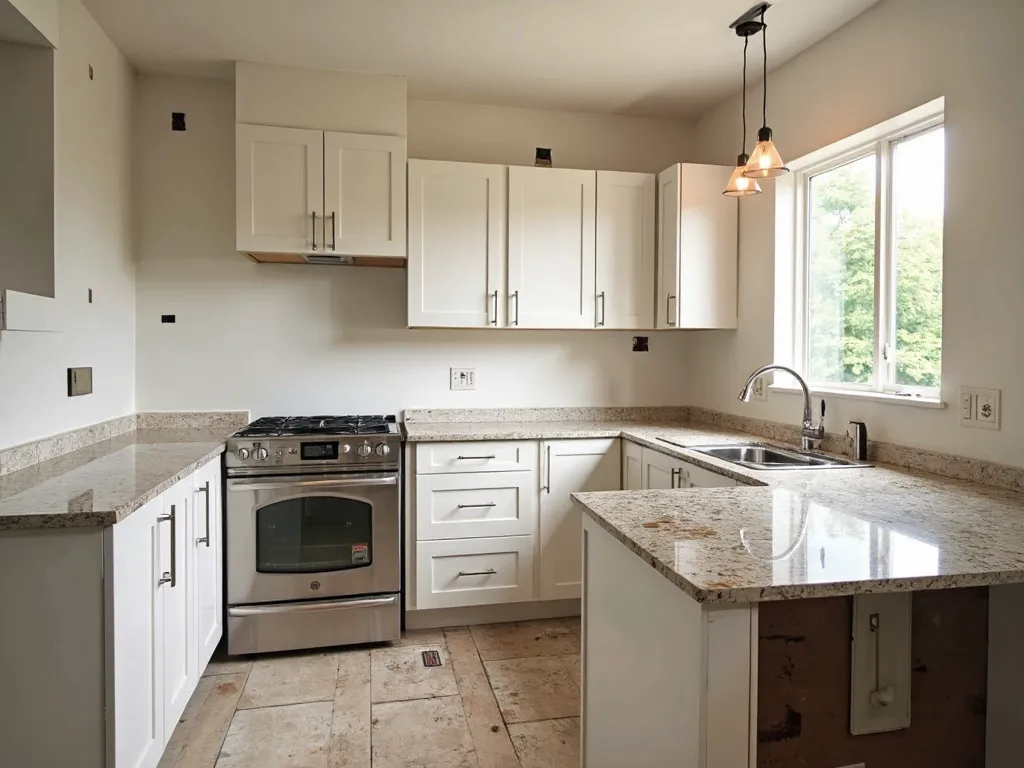
Kitchen Renovation Timeline: 8 Phases from Design to Handover
Kitchen renovation timeline — 8 realistic phases from design through to handover, with budget tips for each stage.