Keep a record of home improvements for when you sell
When you sell, a buyer asks what was done to the house and when. In some countries the cost of improvements also changes the tax on the sale. Both questions are easy if you kept a record, and hard if you did not.
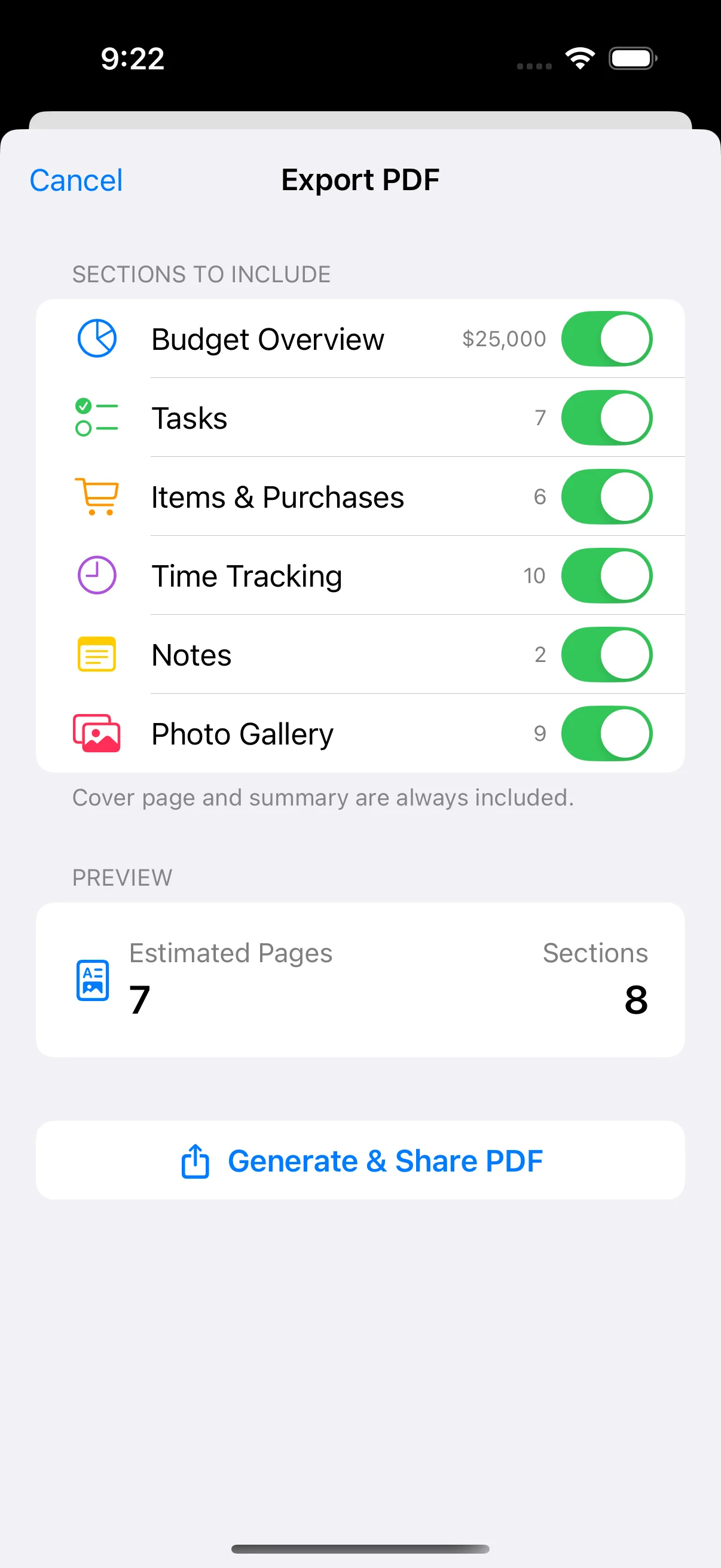
Home Stories keeps each improvement with its date, cost, receipts, warranties and photos. With Pro, you can export a PDF report of the whole project for the buyer or the estate agent.

What to keep in the project
-
What was done, and when
A project per improvement, with the dates on the tasks and the photos.
-
Receipts and invoices
Each payment with its document, kept for as long as you own the house.
-
Warranties and certificates
Roof, windows, boiler, electrics. Buyers ask for these.
-
Before and after
Photos that show the change, ready for the listing.
How to set it up in Home Stories
- Make a project for each improvement you have done or plan to do.
- Add the receipts, warranties and certificates as documents.
- Add before and after photos.
- When you sell, export a PDF report (Pro).
Free on iPhone and iPad (iOS 17 or later). No account, works offline. Pro is an optional one-time purchase for the budget-vs-actual chart, task reminders, PDF export, iCloud sync and project sharing.
Frequently asked questions
What home improvement records should I keep for a sale?
The date, the cost and the invoice for each improvement, plus warranties, certificates and before-and-after photos. Ask your accountant which costs count for tax where you live.
Can I give the buyer a report?
Yes, with Pro. PDF export makes a report with a cover photo for the whole project or the parts you choose.
How long are records kept in the app?
As long as you keep them. Projects stay on your device, and local backups and a full data export are free.
Further reading
-
 How to Organize Renovation Receipts: A Photo-First System How to organize renovation receipts — a photo-first system that keeps every receipt, invoice, and contract in one place.
-
 How to Document Your Home Renovation for Insurance What a renovation insurance claim actually needs: the photo timeline, the paper trail, and the honest disclosure most people forget — all before you need it.
- How to Track Home Improvement Expenses: Apps vs Spreadsheets How to track home improvement expenses — comparing apps vs spreadsheets, with practical advice for keeping your renovation on budget.